
People
Open Entities in the masthead, then People. It lists the people in your life, built from your correspondence and notes.
Who’s listed
Section titled “Who’s listed”Everyone who appears in your mail is known to the archive, so search and the Library find them all. People lists only those who matter to you. Someone is listed when they appear in at least two documents and you wrote to them, or the curator found how you know them, or they’re in one of your events or projects. Someone you’ve edited or kept is always listed.
Everyone else is under the Show filter’s Everyone else. Their page says why they’re not listed, with Add to People, which keeps them listed for good. Take out of People in a kept person’s More menu undoes that.
The list
Section titled “The list”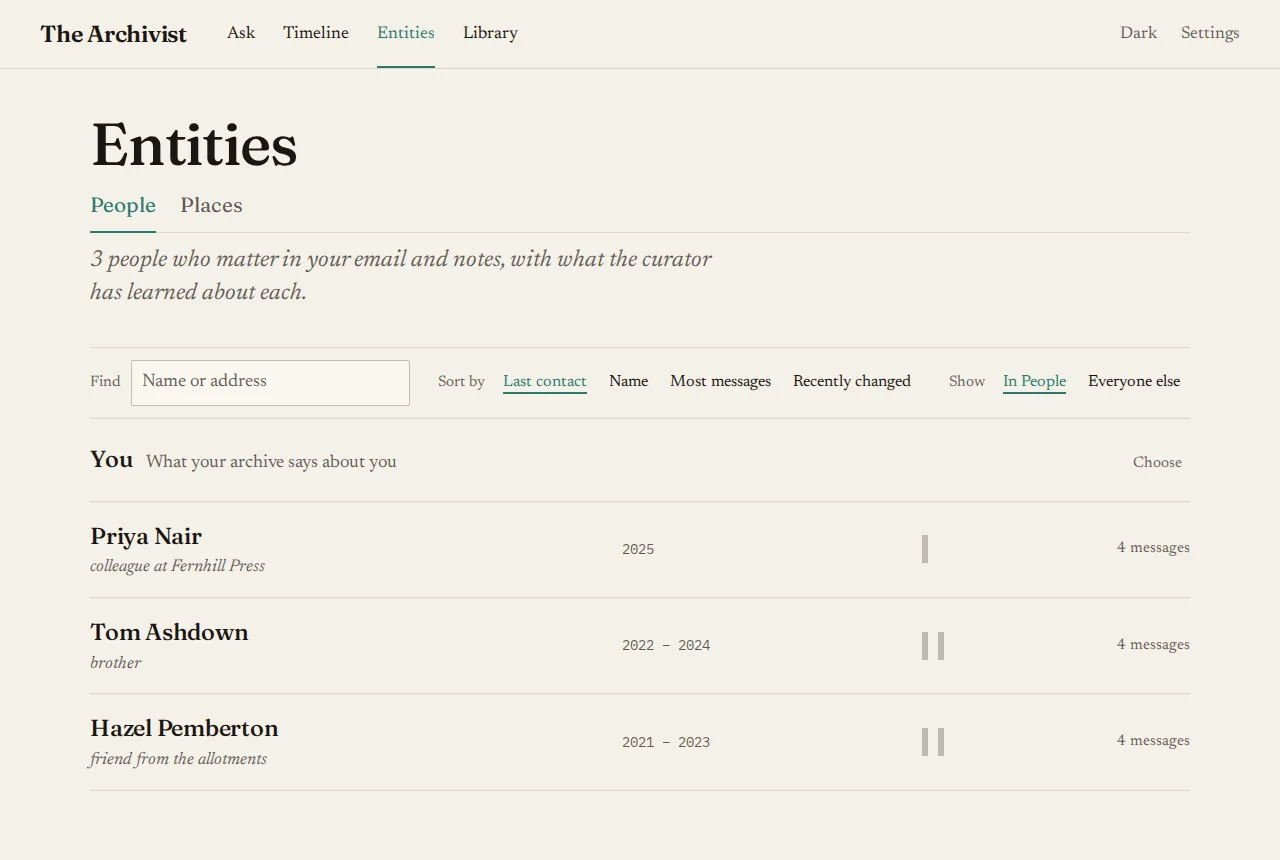
- Find by name or address.
- Sort by last contact, name, most messages, or recently changed. Sorting by name adds letter headings.
- Each row shows the name, how you know them, the years you were in touch, a strip of activity by year and the message count.
- You links to your own page. See About you.
When the curator thinks two people might be the same person, a line at the top says how many pairs there are. Open it to answer Same person or Not the same for each.
A person’s page
Section titled “A person’s page”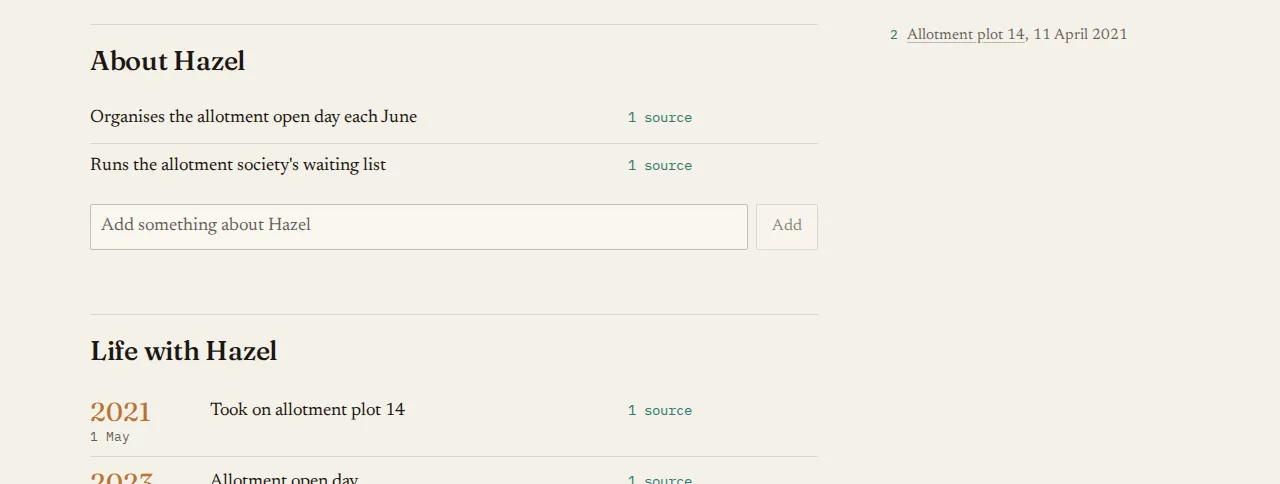
- The headline is their name, with how you know them beneath, such as “Friend, known since 2014”.
- The summary, written by the curator, with its sources as numbered notes in the side panel.
- About them: facts, each with how many documents it comes from. Choose that count to read the passages.
- Life with them: dated events.
- Projects together.
- Correspondence: messages per year, and the threads, newest first. Choose a year to see only its threads.
- The side panel: their addresses, first and latest contact, and message count.
Correcting it
Section titled “Correcting it”Every line can be fixed where you see it:
- Fix turns a line into a field. Enter saves and Escape cancels. What you write becomes yours, and the curator never changes it back.
- Remove takes a line away at once, with Undo for 6 seconds. The curator won’t add it again.
- Add writes a fact of your own.
- A line the curator wasn’t sure of is underlined, with “The curator wasn’t sure · Keep”. Keep makes it yours as it is.
The More menu holds Rename, Merge with someone… and Not a person.
To sort out many people at once, use Choose on the list, and to sort out a person’s documents, use Choose documents on their correspondence. See Fixing what the curator got wrong.