
Library and the reader
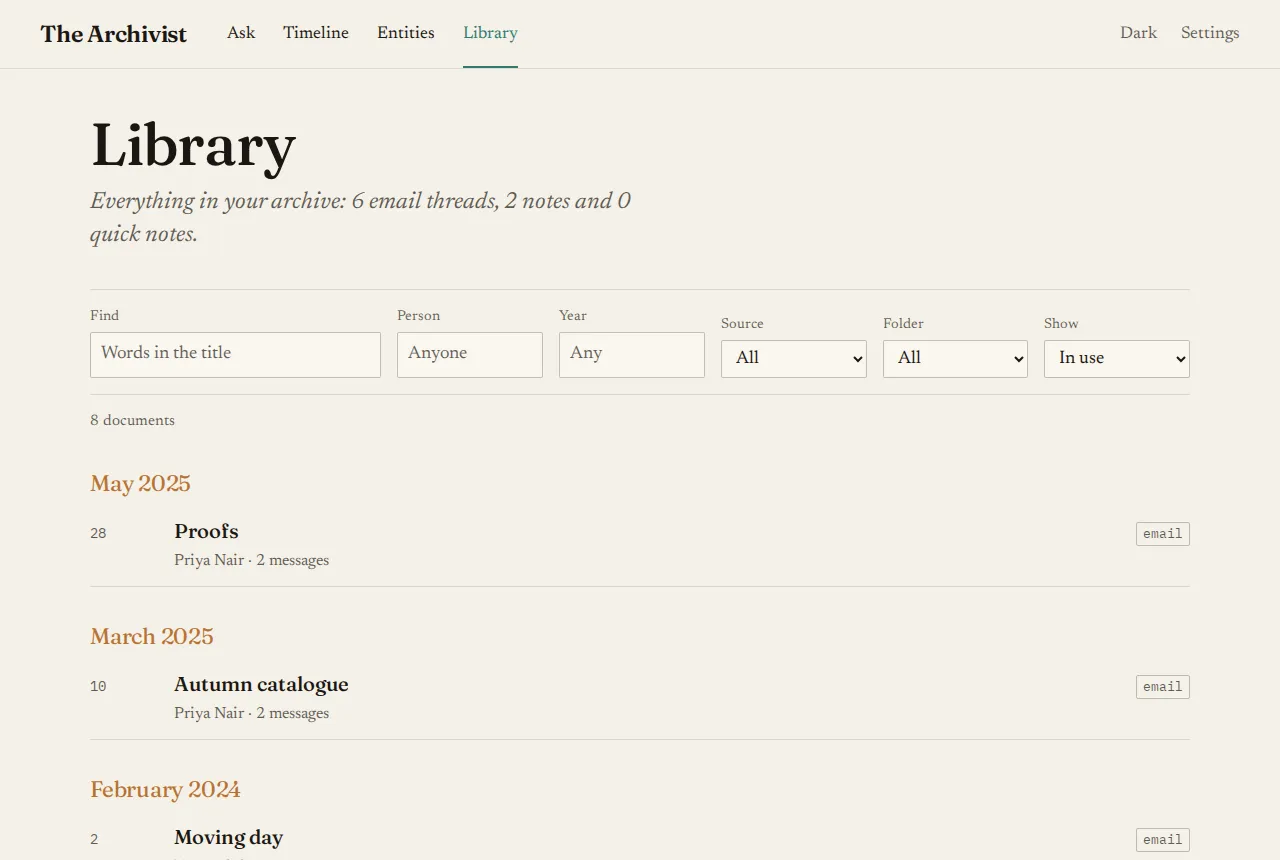
The Library lists everything in your archive, newest first, grouped by month. Each row shows the day, the title, and the people and message count beneath.
Finding things
Section titled “Finding things”The filters above the list narrow it by:
- Find: words in the title;
- Person;
- Year;
- Source: email, notes or quick notes;
- Folder: where it came from, such as
gmailorobsidian-personal.
Archived documents are hidden. Choose the Archived filter to see only those.
Reading
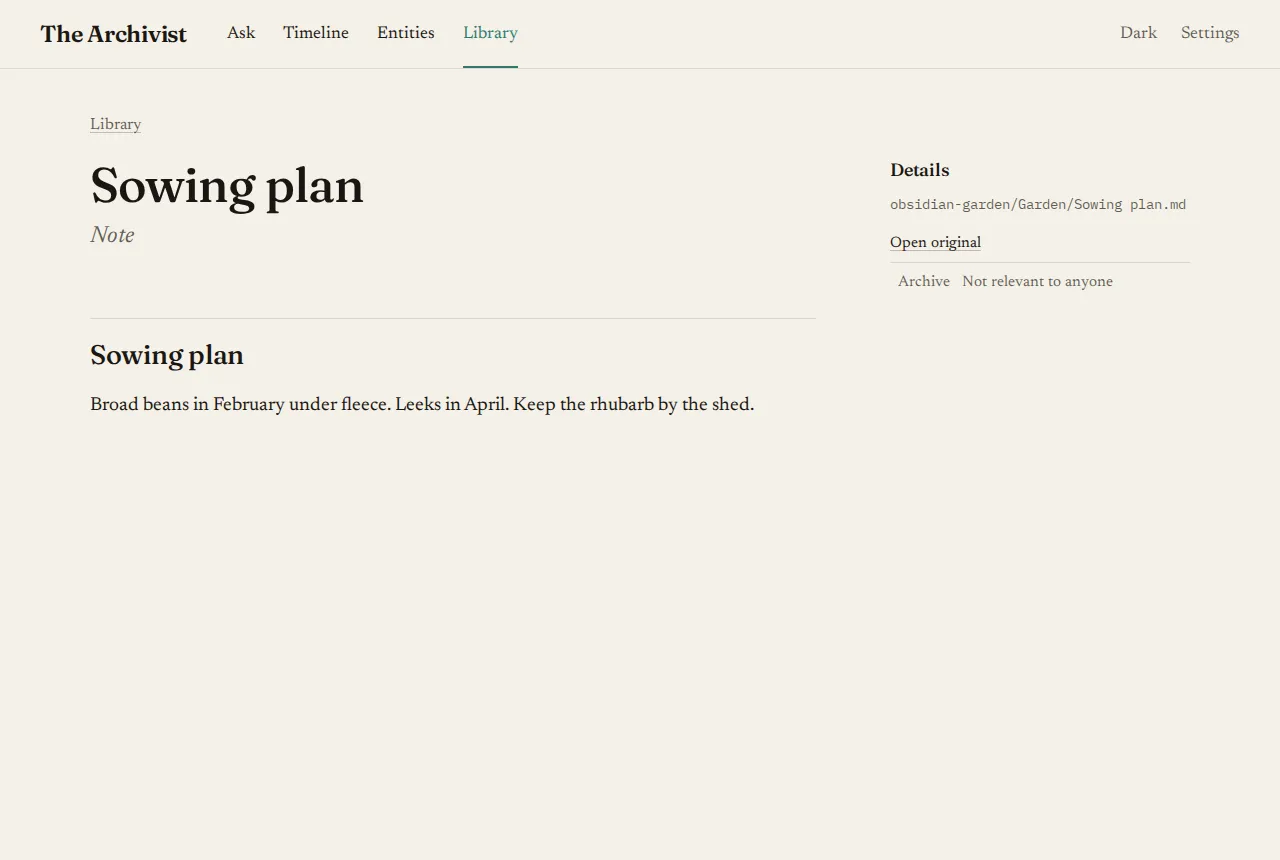
Section titled “Reading”Choose a row to open it in the reader.
- Email threads are set as letters, one after another: the sender, the date, the recipients, then the message, with quoted replies folded away.
- Notes are shown as formatted text.
- Converted files, such as PDFs, say “Converted from a PDF; the original file isn’t kept”.
When you open a passage from an answer, the reader scrolls to it and highlights it.
The side panel lists the people in the document, linked to their pages, and what the curator learned from it.
In the reader’s details
Section titled “In the reader’s details”- Open original shows the file as it was synced. For a converted file, Open the converted text shows the text made from it.
- Archive takes a document that isn’t about anyone off everyone’s pages. It stays searchable, and the curator ignores it. Unarchive puts it back. See Fixing what the curator got wrong.
- Curate anyway appears on mail the curator skipped as automated or bulk mail, and curates it.